


 Pro Benefits
 Über
Über
 Bedingungen
 Datenschutz
 Child Safety & Protection
 Benachrichtigungen
 Ayrush Global It Services Pvt Ltd
How Does Salesforce Integrate With AI Tools Like Einstein AI?
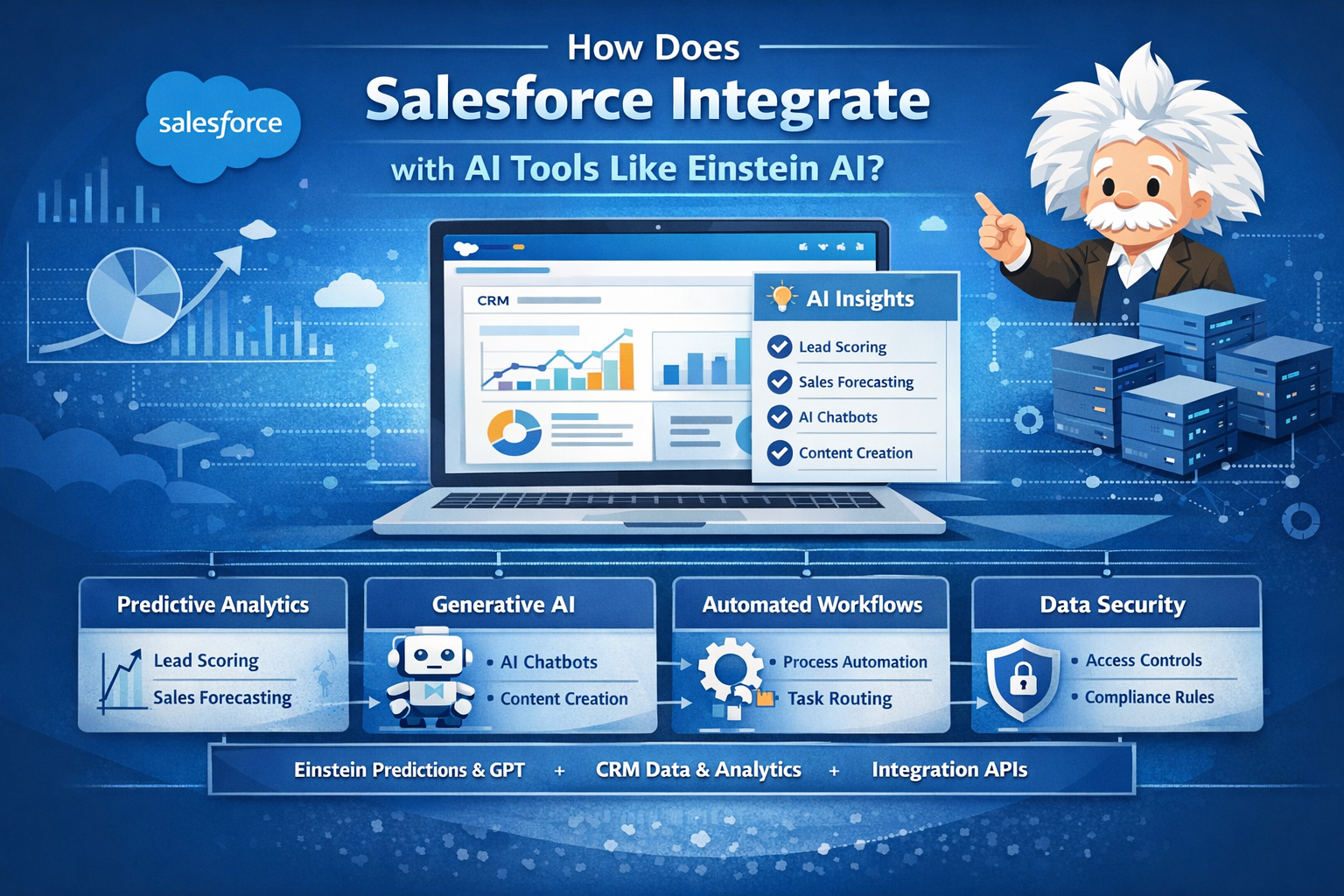
What Is Salesforce Integration With AI Tools Like Einstein AI?
Salesforce integration with AI refers to the way artificial intelligence capabilities are embedded into the Salesforce platform to enhance how data is processed, interpreted, and acted upon inside CRM workflows. Rather than functioning as an external system, Einstein AI is part of Salesforce’s application layer and developer ecosystem.
At a platform level, this integration includes:
-
Predictive AI for forecasting and recommendations
-
Generative AI for content creation and conversational interfaces
-
Automation AI for workflow execution and decision routing
-
Analytics AI for pattern detection and trend analysis
These capabilities are accessible through standard Salesforce components such as:
-
Salesforce Objects (Leads, Accounts, Cases, Opportunities)
-
Flow Builder and Process Automation
-
Apex APIs and Lightning Web Components
-
Service and Marketing Cloud interfaces
-
Data Cloud and CRM Analytics dashboards
For learners enrolled in a salesforce admin course or a Salesforce online course, this integration is typically introduced through hands-on exercises that show how AI features operate inside real CRM configurations rather than as separate AI systems.
How Does Einstein AI Work in Real-World IT Projects?
High-Level Architecture Overview
In enterprise environments, Einstein AI operates across multiple layers of the Salesforce platform:
| Layer | Role in AI Integration | Example Use |
|---|---|---|
| Data Layer | CRM data, Data Cloud, and external integrations | Customer history, transaction records |
| Intelligence Layer | Einstein models and prompts | Predictions, summaries, recommendations |
| Application Layer | Salesforce Clouds and UI | Sales console, service console |
| Automation Layer | Flow, Apex, and triggers | Case routing, alerts |
| Integration Layer | APIs and connectors | ERP, ticketing, analytics tools |
Typical Enterprise Workflow Example
Scenario: Sales Opportunity Prioritization
-
Opportunity records are created or updated in Sales Cloud.
-
Einstein AI analyzes historical win/loss data, account engagement, and activity metrics.
-
A predictive score is generated and stored on the Opportunity object.
-
Flow Builder uses this score to:
-
Assign high-priority opportunities to senior sales reps
-
Trigger notifications in Slack or email
-
-
Sales managers view predictions in dashboards and adjust pipeline strategies.
This workflow demonstrates how AI is not a separate step but part of standard CRM operations.
What Is Einstein AI and Its Core Components?
Einstein AI is Salesforce’s AI layer that includes both predictive and generative capabilities. It is composed of several modular services.
1. Einstein Prediction Services
Used for:
-
Lead scoring
-
Opportunity forecasting
-
Case classification
-
Churn prediction
These services use historical CRM data to train models that generate probability-based outcomes.
2. Einstein Discovery (CRM Analytics)
Used for:
-
Trend analysis
-
Root cause identification
-
KPI impact modeling
Often integrated into executive dashboards and operational reporting.
3. Einstein GPT (Generative AI)
Used for:
-
Email and content drafting
-
Chatbot conversations
-
Record summarization
-
Knowledge article generation
This layer interacts with CRM data through secure, permission-based access.
4. Einstein Bots
Used for:
-
Customer self-service
-
Internal IT helpdesks
-
Automated service triage
These bots connect to Salesforce data and workflows in real time.
How Is Salesforce AI Used in Enterprise Environments?
Sales Operations
-
Predictive opportunity scoring
-
Automated email drafting
-
Deal risk identification
-
Account engagement analysis
Customer Support
-
Case categorization
-
Suggested resolution articles
-
Chat-based self-service
-
SLA risk alerts
Marketing Teams
-
Campaign segmentation
-
Personalized content generation
-
Engagement predictions
-
Journey optimization
IT and CRM Administration
-
Automated data validation
-
Workflow optimization
-
User behavior analysis
-
Performance monitoring
For professionals learning through salesforce admin certification classes, these use cases are typically explored through sandbox environments and guided projects that simulate real business operations.
How Does Einstein AI Integrate With Salesforce Data and Security?
Data Access Control
Einstein AI operates within Salesforce’s existing security model:
-
Role-based access control (RBAC)
-
Field-level security
-
Object permissions
-
Data masking and governance rules
This ensures AI-generated outputs respect user visibility and compliance requirements.
Compliance Considerations
In regulated industries, organizations often configure:
-
Audit logs for AI interactions
-
Data retention policies
-
Restricted prompt access
-
Encrypted storage for sensitive records
These controls are important topics for learners preparing for Salesforce system admin roles.
Step-by-Step: Enabling Einstein AI in a Salesforce Environment
Step 1: License and Feature Verification
-
Confirm Einstein features are available in the org.
-
Check user permission sets.
Step 2: Data Readiness
-
Clean CRM data
-
Standardize fields
-
Validate historical records
Step 3: Model Configuration
-
Select prediction types
-
Define training data
-
Set refresh schedules
Step 4: Workflow Integration
-
Connect predictions to Flow
-
Add AI outputs to page layouts
-
Configure alerts and actions
Step 5: Monitoring and Optimization
-
Track prediction accuracy
-
Adjust training parameters
-
Review business impact metrics
How Does Salesforce Einstein Compare to External AI Tools?
| Feature | Einstein AI | External AI Platforms |
|---|---|---|
| CRM Integration | Native | Requires API integration |
| Security Model | Salesforce-based | Custom configuration |
| Deployment Time | Short | Moderate to long |
| Customization | Salesforce tools | External frameworks |
| Maintenance | Centralized | Distributed |
In many enterprises, Einstein AI is used for CRM-centric workflows, while external AI platforms are reserved for broader analytics or advanced machine learning pipelines.
What Skills Are Required to Learn Salesforce AI Integration?
Technical Skills
-
Salesforce Object Model
-
Flow Builder
-
Permission Sets
-
Apex Fundamentals
-
API Integration Concepts
Data Skills
-
Data modeling
-
Data quality management
-
Reporting and dashboards
-
Basic machine learning concepts
Governance Skills
-
Security policies
-
Compliance frameworks
-
Change management
These skill sets are often structured into progressive learning paths in salesforce training with placement programs to prepare professionals for production-level responsibilities.
How Is Salesforce AI Used in Real Projects?
Project Example: Customer Support Automation
Objective: Reduce case resolution time.
Workflow:
-
Einstein classifies incoming cases by category.
-
Flow assigns cases based on skill routing.
-
Einstein GPT suggests knowledge articles.
-
Supervisors monitor SLA dashboards.
Project Example: Marketing Personalization
Objective: Improve campaign engagement.
Workflow:
-
Data Cloud segments customers.
-
Einstein predicts engagement probability.
-
Marketing Cloud personalizes content.
-
Analytics tracks conversion metrics.
These projects illustrate how AI and CRM configurations intersect in enterprise delivery environments.
What Job Roles Use Salesforce AI Daily?
| Role | AI Responsibilities |
|---|---|
| Salesforce Administrator | Configure AI workflows and permissions |
| Business Analyst | Interpret AI insights and dashboards |
| CRM Developer | Build AI-integrated applications |
| Data Analyst | Monitor performance and trends |
| IT Support Lead | Manage bots and automation |
What Careers Are Possible After Learning Salesforce AI?
-
Salesforce System Administrator
-
CRM Solutions Architect
-
AI CRM Consultant
-
Business Intelligence Analyst
-
Automation Specialist
These roles often combine platform knowledge with data governance and workflow design expertise.
Frequently Asked Questions (FAQ)
Q1: Does Einstein AI require coding?
Basic features can be configured using Flow and setup tools. Advanced customization may require Apex or API development.
Q2: Can Einstein AI work with external systems?
Yes. It integrates with external platforms through REST APIs, middleware, and Data Cloud connectors.
Q3: How accurate are Einstein predictions?
Accuracy depends on data quality, volume, and model configuration. Ongoing monitoring is required.
Q4: Is generative AI secure in Salesforce?
It follows Salesforce’s security and access control policies, including role and field-level permissions.
Q5: Do admins manage AI governance?
Yes. Admins configure permissions, auditing, and compliance settings for AI features.
Learning Path: Salesforce AI Integration
| Level | Focus Area | Outcome |
|---|---|---|
| Beginner | CRM basics, objects, flows | Understand platform structure |
| Intermediate | AI features, dashboards | Configure predictions |
| Advanced | Apex, APIs, governance | Build enterprise solutions |
Best Practices for Production Environments
-
Maintain high data quality
-
Monitor AI output regularly
-
Use permission sets for access control
-
Test workflows in sandboxes
-
Document AI configurations
Key Takeaways
-
Einstein AI is natively embedded into Salesforce, not an external add-on.
-
AI capabilities span predictive analytics, generative content, and automation.
-
Security and governance follow Salesforce’s existing permission models.
-
Real-world projects focus on CRM workflows, not standalone AI systems.
-
Career roles combine platform administration, analytics, and automation expertise.
Explore Learning With H2K Infosys
For professionals seeking structured, hands-on experience, H2K Infosys offers guided programs that combine Salesforce platform fundamentals with practical AI integration projects.
These courses are designed to help learners build job-ready skills aligned with enterprise CRM and automation workflows.
 Deutsch
 English
 Arabic
 French
 Spanish
 Portuguese
 Turkish
 Dutch
Dutch
 Italiano
 Russian
 Romaian
 Portuguese (Brazil)
 Greek
Greek
