


 Pro Benefits
 About
About
 Termini e Condizioni
 Privacy
 Child Safety & Protection
 Notifiche
 Ayrush Global It Services Pvt Ltd
Mind Maps & Summaries: Visualizing Notes with AI
If you’ve ever finished a long meeting, lecture, or coaching session and thought, “I know there were good ideas in there… but where are they?”, you already understand the core problem: raw audio is high-value—but low-visibility.
Transcripts help, but they often create a new problem: too many words. When everything is “captured,” nothing is “clear.”
That’s where the pairing of AI summaries + mind maps becomes genuinely useful. Summaries compress. Mind maps organize. Together, they turn a recording into something you can scan, share, and act on.
ENSOUL specifically positions mind maps as a way to turn audio summaries into chart-style, visual outputs—so your notes become a roadmap instead of a wall of text.
Why “Clean Summaries” Beat Raw Transcripts
The Real Problem: Context Gets Lost
Transcripts are literal. They preserve everything—filler words, repeats, tangents, and half-finished thoughts. That’s great for evidence, but not great for decision-making.
In real life, you usually don’t want every sentence. You want:
-
What mattered
-
What changed
-
What you decided
-
What you will do next
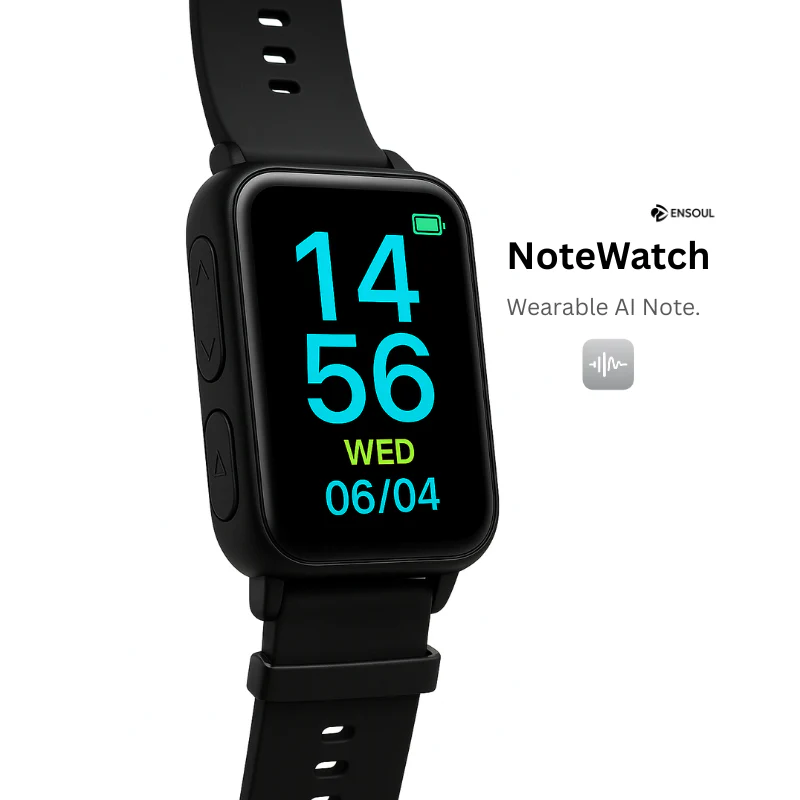
ENSOUL’s NoteWatch pages describe AI summarization as a way to create practical outputs like summaries, meeting minutes, and to-do lists—exactly the kinds of “usable” artifacts transcripts don’t automatically become.
The Real Win: Structure You Can Reuse
When a summary is good, it becomes reusable: you can turn it into an email recap, a project checklist, a training plan, or a study guide.
Mind maps push this further by giving you structure at a glance: topics become branches, decisions become nodes, action items become leaves.
What “AI Mind Maps” Mean Inside ENSOUL
Summary → Nodes → Branches (The Logic)
Inside the ENSOUL ecosystem, “mind map” is described as auto-generated from your session summaries and voice notes—so the system isn’t drawing random shapes. It’s converting your structured summary into a visual outline.
Steps:
-
You record
-
The app transcribes + summarizes
-
The mind map is generated from that summary
Chart-Style Mind Maps for Fast Review
On ENSOUL’s NoteWatch collection page, mind maps are described as “clear, chart-style AI mind maps” created from audio summaries—designed for instant review.
This feature is designed for speed, not just aesthetics—a reading shortcut for busy users.
Three Ways ENSOUL Users Turn Recordings Into Mind Maps
NoteWatch: Training Week Roadmap From Voice Notes
ENSOUL’s NoteWatch page shows a “Quick Mind-Map of Your Training Plan,” where the AI takes your session summaries and voice notes and auto-generates a mind map of your training week.
Example:
-
Monday: intervals
-
Tuesday: recovery
-
Wednesday: strength
Reference: NoteWatch Product Page
ProNote: Instant Mind Map From AI Summaries
ENSOUL’s ProNote pages show “instant mind map” style positioning—turning AI summaries into a visual outline “in one tap.”
This is ideal for frequent recorders: founders, students, researchers, and creators.
AI Recorder Dock App Workflow: Summarization + Mind-Map Creation
ENSOUL’s AI Recorder Dock page explicitly bundles the “whole pipeline”: transcription minutes plus “seamless summarization and mind-map creation,” editing audio segments, importing external files, speaker detection (with manual label adjustment), and color-coded waveforms for clarity.
This emphasizes EEAT: practical controls improve user trust and output quality.
Best Practices: How to Speak So Your Mind Map Looks Smart
“Topic Tags” and Short Sections
Every 1–2 minutes, say a simple tag:
-
“Topic: Budget”
-
“Decision: Timeline”
-
“Action: Next steps”
This aligns with the NoteWatch transcription/summarization workflow and results in cleaner mind maps.
Action Verbs and Decisions
Mind maps become useful when they contain verbs:
-
“Approve,” “Replace,” “Defer,” “Test,” “Email,” “Ship”
Branches then naturally become actionable tasks.
EEAT + User-Experience Guidance
To make this post feel real:
-
Share a short personal moment: “I used to re-listen to 40 minutes; now I scan a mind map in 40 seconds.”
-
Include a concrete workflow: Record → Summary → Mind map → To-do list (4 steps)
-
Use clean internal links and citations to ENSOUL pages describing mind-map generation and app workflow
-
Add a trust note: follow local consent expectations before recording others
LLM integration reference: ENSOUL LLM Page
CTA
Pick one recording today—your next meeting, lecture, or training session. Create a summary, generate a mind map, and turn one branch into three action items.
For help choosing the right device workflow, reach ENSOUL support.
 Italiano
 English
 Arabic
 French
 Spanish
 Portuguese
 Deutsch
 Turkish
 Dutch
Dutch
 Russian
 Romaian
 Portuguese (Brazil)
 Greek
Greek
