


 Pro Benefits
 Über
Über
 Bedingungen
 Datenschutz
 Child Safety & Protection
 Benachrichtigungen
 Ayrush Global It Services Pvt Ltd
Step-by-Step Guide to Using Ground Control Point Targets in Aerial Mapping
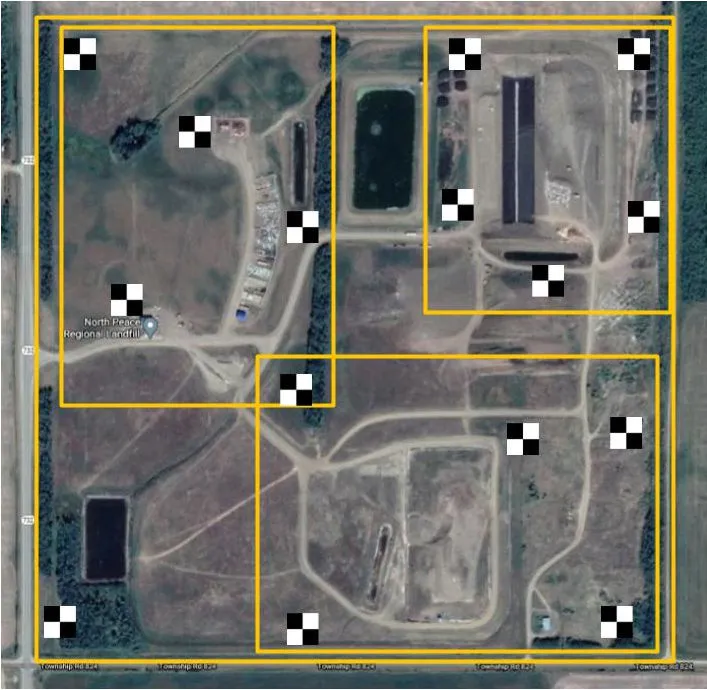
Ground Control Points (GCPs) are critical in aerial mapping to ensure the accuracy of spatial data captured by drones or aircraft. They serve as reference points that help align aerial imagery with real-world coordinates, ensuring precision in mapping and surveying projects. In this guide, we’ll explore how Ground Control Point Targets are used in aerial mapping, providing a comprehensive step-by-step approach to setting them up and using them effectively.
What are Ground Control Points?
Ground Control Points (GCPs) are fixed locations on the Earth's surface with known geographical coordinates. These points are marked on the ground and used to correct and georeference aerial images or photogrammetric data. By capturing these reference points during a flight, surveyors and mapping professionals can align the aerial data with Earth's coordinate system, which is essential for accurate mapping.
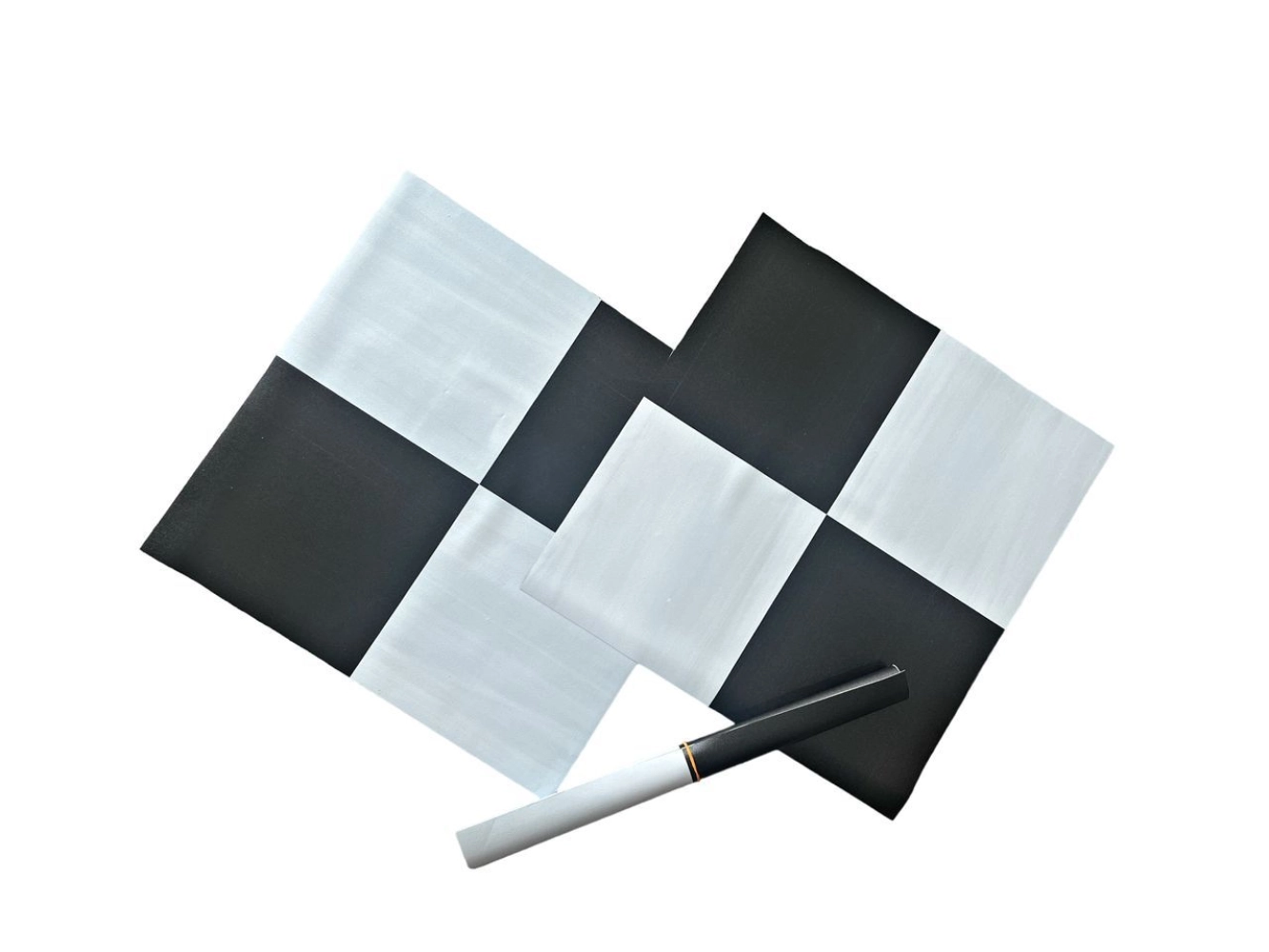
In aerial mapping, GCPs are often placed at strategic locations across the survey area, and their coordinates are precisely measured using GPS technology.
Why are Ground Control Points Important in Aerial Mapping?
Ground Control Point Targets help enhance the accuracy and reliability of aerial maps and surveys. Here are the main reasons why GCPs are essential in aerial mapping:
-
Increased Accuracy: GCPs ensure that aerial data aligns precisely with the real-world terrain's coordinates.
-
Improved Geo-referencing: Aerial imagery can be corrected for distortions, scale errors, and misalignments using GCPs.
-
Better Post-Processing: Using GCPs can significantly reduce errors during post-processing and data analysis.
How to Use Ground Control Point Targets in Aerial Mapping
Using GCPs effectively in aerial mapping involves careful planning, placement, and measurement. Below is a step-by-step guide to incorporating GCP targets into your aerial mapping workflow.
Step 1: Planning and Preparation
Before you begin, it’s essential to plan where to place the Ground Control Point Targets. Here are a few key considerations:
-
Select Appropriate Locations: Choose locations that are easily identifiable and have clear visibility from the air. GCP targets should be distributed across the survey area to ensure coverage and accuracy.
-
Spacing and Distribution: Distribute GCPs evenly across the area to cover as much terrain as possible. This will help reduce errors and improve the quality of your mapping results.
-
Coordinate System: Choose the coordinate system you will use (e.g., UTM, WGS84) to ensure consistent measurements.
Step 2: Marking Ground Control Point Targets
Once you’ve selected the locations, you need to mark the Ground Control Points on the ground. The marking can be done in several ways, such as:
-
Physical Targets: Use physical markers such as painted Xs, cones, or specialized target boards. These are often visible from the air and are great for mapping small areas.
-
Reflective Targets: In some cases, reflective targets are used for high-precision measurements, especially in photogrammetry applications.
-
GPS Surveying: Use a high-precision GPS receiver to record the exact coordinates of the GCPs. This is done at the location where the target is placed.
Ensure that the GCP targets are placed at strategic points to cover the entire survey area. Having a mix of well-distributed ground points will minimize errors in the final map.
Step 3: Aerial Survey and Image Capture
Now, it’s time to capture aerial imagery. While flying over the survey area, ensure that the GCPs are visible in the drone’s camera’s field of view. Here are some tips for a successful aerial survey:
-
Flight Planning: Plan your flight path to ensure you capture high-quality images of the Ground Control Points. The drone should fly over or near each GCP during the flight.
-
Altitude and Overlap: Maintain consistent altitude and ensure overlapping images for optimal stitching during post-processing.
-
Camera Calibration: Ensure the camera is calibrated before the flight to ensure aerial imagery is sharp and clear.
Step 4: Post-Processing and Georeferencing
Once you’ve captured the imagery, the next step is to align the aerial data with the known coordinates of the Ground Control Points. This process is known as georeferencing. Follow these steps during post-processing:
-
Identify GCPs in the Aerial Images: Locate the GCPs in the captured images and mark their locations in the software.
-
Assign Coordinates: Input the precise coordinates of each GCP into the mapping software.
-
Adjust Alignment: The software uses the coordinates to adjust the positions of the aerial images and align them with the real-world coordinate system.
-
Check for Accuracy: After georeferencing, verify alignment by comparing the mapped GCP locations with the known coordinates.
This process significantly enhances the accuracy of your final map or survey output.
Step 5: Final Quality Check
After processing and georeferencing, it’s important to perform a final quality check. Look for any anomalies or misalignments that could affect data accuracy. If needed, repeat the georeferencing process or adjust the placement of GCP targets to refine the results.
Best Practices for Ground Control Points in Aerial Mapping
Here are a few best practices to ensure you get the most accurate results:
-
Use High-Quality GCP Targets: Ensure that your GCP targets are clear, durable, and easily identifiable from the air.
-
Check GCP Coordinates: Double-check the GCP coordinates using precise GPS equipment to avoid errors.
-
Multiple GCPs: Use 5-7 GCPs for smaller areas and more for larger areas to ensure better accuracy.
-
Regular Calibration: Calibrate your GPS equipment regularly to maintain precise measurements.
Conclusion
Ground Control Point Targets are fundamental to ensuring the accuracy and reliability of aerial maps and surveys. By following the steps outlined in this guide, you can effectively plan, place, and measure GCPs, ensuring your aerial mapping projects produce precise, high-quality results. Remember that a well-planned GCP strategy is essential for reducing errors, improving geo-referencing, and achieving accurate mapping outputs.
 Deutsch
 English
 Arabic
 French
 Spanish
 Portuguese
 Turkish
 Dutch
Dutch
 Italiano
 Russian
 Romaian
 Portuguese (Brazil)
 Greek
Greek
