


 Pro Benefits
 Σχετικά
 Όρους
Όρους
 Ιδιωτικότητα
 Child Safety & Protection
 Ειδοποιήσεις
 Ayrush Global It Services Pvt Ltd
Browser Compatibility Testing Using Selenium Grid
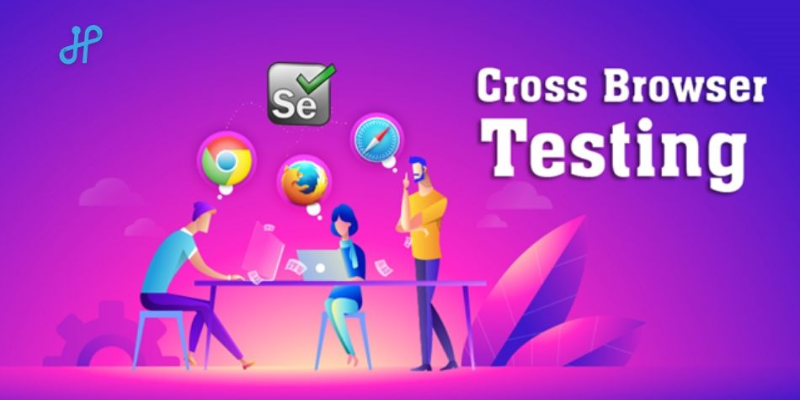
As businesses expand their online presence, delivering a consistent experience across all browsers and devices is crucial for success. Browser compatibility testing identifies potential issues that could impact functionality, accessibility, and user satisfaction. Selenium Grid streamlines this process by allowing testers to run distributed tests across multiple browsers, operating systems, and machines simultaneously. Students and professionals looking to gain hands-on expertise in automated testing can enroll in Selenium Training in Chennai, where they learn practical skills and industry best practices.
What is Selenium Grid?
A component of the Selenium suite, Selenium Grid is made to run test scripts on many browser and platform combinations. Unlike Selenium WebDriver, which runs tests sequentially on a single browser, Selenium Grid enables parallel testing by connecting multiple machines into a centralized hub-and-node architecture. The hub controls the test execution environment, while nodes represent different browser and OS configurations. This setup significantly reduces test execution time and improves testing efficiency.
By leveraging Selenium Grid, QA teams can ensure consistent application performance across environments, which is particularly important for businesses operating in markets where users rely on different browsers and devices. Additionally, understanding Common Challenges Faced Using Selenium, such as handling dynamic elements, synchronization issues, and cross-browser quirks, is crucial for achieving successful test automation.
Importance of Browser Compatibility Testing
Testing for browser compatibility guarantees that your application or website:
-
Works seamlessly across various browsers and versions.
-
Adapts to different operating systems like Windows, macOS, and Linux.
-
Performs consistently on mobile and desktop platforms.
-
Delivers a positive user experience, reducing bounce rates and customer complaints.
Failing to conduct proper compatibility testing can lead to broken layouts, unresponsive design elements, or functionality errors that harm your brand’s reputation. Selenium Grid helps streamline this process, making it easier to manage complex testing scenarios.
Setting Up Selenium Grid for Testing
To begin using Selenium Grid, testers need to install Java and Selenium Server on their machines. The basic setup involves:
Starting the Hub:
Launch the Selenium Server in hub mode using the command:
java -jar selenium-server-standalone.jar -role hub
-
The hub acts as the central point that routes test commands to appropriate nodes.
Registering Nodes:
On different machines, start nodes and register them to the hub:
java -jar selenium-server-standalone.jar -role node -hub http://localhost:4444/grid/register
-
Nodes can represent different browsers, versions, and platforms.
-
Configuring Test Scripts:
-
Update your test scripts to connect to the hub URL. Selenium Grid will then distribute the tests to the available nodes for execution.
This setup allows multiple tests to run concurrently on various browsers, saving significant time for QA teams.
Advantages of Using Selenium Grid
-
Parallel Testing: Reduce test cycles significantly by running several tests simultaneously in several browsers.
-
Cross-Browser Support: Test compatibility on Chrome, Firefox, Safari, Edge, and more without maintaining separate setups.
-
Scalability: Add more nodes as your testing requirements grow, enabling scalability for large projects.
-
Cost-Effectiveness: Utilize existing hardware and virtual machines efficiently, minimizing infrastructure costs.
-
Faster Feedback Loop: Accelerated testing means developers can receive quick feedback, speeding up the overall development lifecycle.
Moreover, advanced testers can implement Data-Driven Testing in Selenium with Excel Integration, enabling test scripts to run with multiple data sets for comprehensive coverage without writing redundant code.
Best Practices for Browser Compatibility Testing
-
Use Multiple Browsers and Devices: Don’t limit your tests to a single browser; test across major browsers and their previous versions.
-
Automate Repetitive Tasks: Use Selenium Grid’s automation capabilities to run repetitive test cases, freeing up time for more complex scenarios.
-
Integrate with CI/CD Pipelines: For smooth automated testing, use Selenium Grid with continuous integration platforms like as Jenkins or GitLab CI.
-
Monitor and Analyze Test Results: Use dashboards and reporting tools to track test performance and identify compatibility issues quickly.
-
Leverage Cloud-Based Grids: Tools like BrowserStack or Sauce Labs offer cloud-based Selenium Grid services, eliminating the need for maintaining your own infrastructure.
Challenges in Browser Compatibility Testing
While Selenium Grid offers many advantages, there are some challenges to consider:
-
Maintenance Overhead: Managing multiple nodes and keeping browsers updated can be time-consuming.
-
Network Latency: Distributed environments may introduce latency issues that affect test execution times.
-
Complex Configuration: Initial setup can be tricky for beginners without prior experience in Selenium or network configurations.
Addressing these challenges involves proper planning, using containerization tools like Docker to simplify node management, and integrating robust reporting systems for better visibility.
Real-World Applications of Selenium Grid
Many enterprises rely on Selenium Grid for critical testing tasks. For example:
-
E-commerce Platforms: Ensuring smooth checkout and payment processes across browsers.
-
Banking Applications: Verifying secure login and transaction functionalities on various systems.
-
Healthcare Portals: Maintaining compatibility across patient management systems on different devices.
-
Educational Platforms: Guaranteeing consistent performance for students and teachers using multiple browsers.
Integrating Selenium Grid into workflows helps companies minimize defects, enhance user experience, and accelerate product releases. To gain practical expertise in these testing techniques, aspiring professionals can join the Best Software Training Institute in Chennai and advance their careers in software testing.
Browser compatibility testing is essential in today’s diverse digital landscape, where users access applications from a wide range of browsers and devices. Selenium Grid provides a powerful and efficient solution to perform cross-browser testing with parallel execution, scalability, and cost-effectiveness. By adopting best practices, integrating with CI/CD pipelines, and addressing potential challenges, QA teams can ensure seamless user experiences across platforms. Regardless of whether you work for a large organization or a startup, learning Selenium Grid can help you maintain a competitive edge in the constantly evolving web development market, enhance your testing methods, and speed up delivery cycles.
 Greek
Greek
 English
 Arabic
 French
 Spanish
 Portuguese
 Deutsch
 Turkish
 Dutch
Dutch
 Italiano
 Russian
 Romaian
 Portuguese (Brazil)
