A business website is not something that can simply be launched and forgotten. Regular website maintenance helps keep the site secure, functional, fast, and reliable as technology and business requirements change. Without proper maintenance, small technical issues can gradually turn into expensive problems that affect customers, leads, sales, and the reputation of the business.
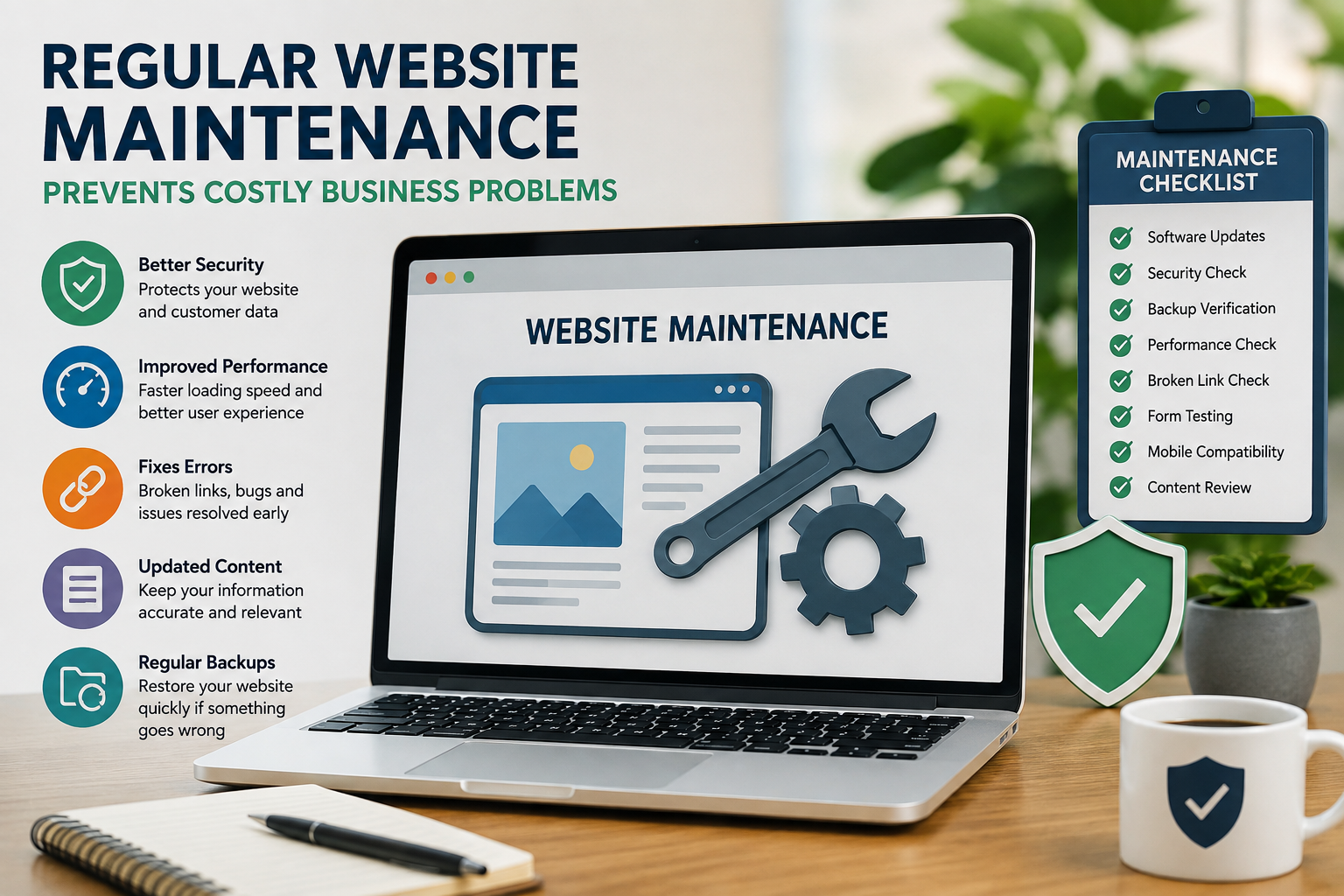
Website maintenance includes much more than fixing a broken page. It can involve software updates, security checks, backups, performance monitoring, content reviews, mobile testing, and checking important business functions such as contact forms and payment systems.
For businesses that depend on their website to generate enquiries or sales, keeping everything working properly should be part of the long-term website strategy.
Why Website Maintenance Matters for Businesses
A modern website usually depends on several connected components. These may include a content management system, plugins, databases, hosting, payment gateways, APIs, analytics tools, forms, and third-party services.
If one of these components becomes outdated or stops working correctly, it can affect other parts of the website.
Regular maintenance can help businesses:
- Reduce unexpected technical problems
- Improve website security
- Maintain website performance
- Protect important website data
- Keep forms and integrations working
- Fix broken links and pages
- Improve compatibility with modern browsers
- Keep business information accurate
- Prepare the website for future growth
Instead of waiting for something to break, businesses can identify potential issues earlier and deal with them before they become serious.
What Happens When a Website Is Not Maintained?
Website problems often develop gradually. A plugin may become outdated, a form may stop sending enquiries, or a page may become incompatible with a newer browser.
At first, these issues may seem minor. However, several unresolved problems can eventually affect the entire website.
An unmaintained website may experience:
- Security vulnerabilities
- Slow loading times
- Broken forms
- Website downtime
- Compatibility problems
- Broken links
- Outdated content
- Failed integrations
- Database issues
For an online store, even a short technical problem can potentially prevent customers from completing purchases. For a service business, a broken enquiry form could mean missed leads.
Keep Website Software Updated
Most websites rely on software that receives regular updates. This may include CMS platforms, plugins, themes, frameworks, libraries, and server software.
Updates can include:
- Security fixes
- Bug fixes
- Performance improvements
- Compatibility improvements
- New features
However, updates should be handled carefully. Businesses should maintain backups and, where appropriate, test major updates before applying them to the live website.
Simply ignoring updates because the website is currently working can create unnecessary security and compatibility risks.
Regular Security Checks
Website security requires continuous attention because new vulnerabilities can be discovered over time.
Regular maintenance provides an opportunity to review security settings and identify weaknesses.
Important checks can include:
- Reviewing administrator accounts
- Removing unnecessary users
- Updating vulnerable software
- Checking access permissions
- Monitoring unusual activity
- Reviewing SSL configuration
- Removing unused plugins
- Checking security alerts
Security should be considered throughout the website's lifecycle rather than only after an attack or technical incident.
Create Reliable Website Backups
Backups are one of the most important parts of website maintenance.
If a website is accidentally damaged, compromised, or affected by a failed update, a recent backup can make recovery much easier.
Businesses should consider backing up:
- Website files
- Databases
- Important media
- Configuration files
- Application data
It is also important to test whether backups can actually be restored. A backup that has never been tested may not provide the expected protection when an emergency occurs.
Monitor Website Performance
Website performance can change as a site grows.
Adding new images, plugins, scripts, products, pages, or integrations can gradually increase the amount of work required to load a website.
Regular performance checks can help identify:
- Slow-loading pages
- Large image files
- Heavy scripts
- Server response problems
- Database bottlenecks
- Poor mobile performance
Businesses can also review their website speed optimization strategy regularly to ensure that performance does not deteriorate as the website becomes larger.
Fix Broken Links and Errors
Broken links can create a frustrating experience for visitors and may prevent them from finding important information.
During regular maintenance, businesses should check:
- Navigation menus
- Internal links
- External links
- Product pages
- Service pages
- Download buttons
- Contact forms
- Call-to-action buttons
A website that contains many broken elements can also appear neglected. Regular checks help keep the customer journey smooth.
Keep Website Content Updated
Website maintenance is not only technical.
Business information can change frequently. Services may be added, prices may change, contact details may be updated, and old information may no longer be accurate.
Businesses should periodically review:
- Service descriptions
- Contact information
- Business hours
- Product details
- Team information
- Images
- Blog content
- FAQs
- Privacy information
Accurate content helps customers make informed decisions and prevents confusion.
Check Forms and Business Integrations
Contact forms are especially important for businesses that rely on website enquiries.
A form can look perfectly normal to a visitor while failing to send submissions correctly in the background.
Regular testing should include:
- Contact forms
- Quote request forms
- Newsletter forms
- Booking systems
- Email notifications
- CRM connections
- Payment integrations
Testing these functions can help prevent businesses from unknowingly losing leads or customer requests.
Review Website Hosting
Hosting requirements can change as traffic and website functionality increase.
A hosting plan that was suitable when a website was small may eventually become insufficient.
Businesses should periodically review:
- Server resources
- Storage capacity
- Website traffic
- Server response time
- Backup options
- Security features
- Scalability
Understanding the connection between hosting and performance is useful when planning long-term website maintenance.
Check Mobile and Browser Compatibility
Web technologies and browsers continue to change. A website that worked correctly several years ago may develop display or functionality problems after browser updates.
Regular testing should cover:
- Desktop browsers
- Mobile browsers
- Different screen sizes
- Navigation
- Forms
- Images
- Interactive elements
- Checkout functionality
Mobile testing is especially important because customers frequently access business websites from smartphones.
Maintenance Can Reduce Long-Term Costs
Preventive maintenance is often more practical than emergency repairs.
For example, identifying an outdated plugin early may require a simple update. Ignoring it until the website develops a security or compatibility problem could require considerably more technical work.
Similarly, regularly checking forms can identify a problem before the business loses a large number of potential enquiries.
Maintenance does not eliminate every possible problem, but it can reduce avoidable risks and help businesses respond more quickly when something does go wrong.
Common Website Maintenance Mistakes
Businesses often make maintenance difficult by taking a completely reactive approach.
Common mistakes include:
- Updating software without creating backups
- Ignoring security warnings
- Never testing contact forms
- Keeping unused plugins installed
- Not checking website speed
- Ignoring mobile compatibility
- Failing to monitor backups
- Leaving outdated content online
- Waiting until the website goes offline before taking action
Creating a simple maintenance checklist can make these tasks easier to manage consistently.
When Should You Get Professional Help?
Some maintenance tasks are simple, but larger websites and custom applications may require technical expertise.
Professional support can be useful for:
- Security updates
- Custom code maintenance
- Database optimization
- Server configuration
- Performance issues
- API integrations
- E-commerce functionality
- Website migrations
- Major software updates
If your business does not have an internal development team, you can hire web developer in india for ongoing technical maintenance, troubleshooting, and website improvements.
Having professional support can also make it easier to identify potential issues before they affect customers.
How Often Should a Website Be Maintained?
There is no single schedule that works for every website.
A simple business website may require monthly technical reviews, while an e-commerce store or web application may need more frequent monitoring.
A basic maintenance schedule could include:
Weekly Checks
- Website availability
- Important forms
- Backup status
- Security notifications
Monthly Checks
- Software updates
- Broken links
- Website performance
- User accounts
- Website content
- Third-party integrations
Periodic Reviews
- Hosting requirements
- Security assessment
- Database performance
- Mobile compatibility
- Technology upgrades
- Overall website performance
The schedule should be adjusted according to the complexity and importance of the website.
Frequently Asked Questions
Is website maintenance necessary after launch?
Yes. Websites depend on technologies that change over time. Regular maintenance helps keep software, security, content, integrations, and performance up to date.
Can website maintenance improve security?
Regular updates, access reviews, backups, monitoring, and security checks can help reduce common website security risks.
Can maintenance improve website speed?
It can help identify issues such as oversized images, outdated software, unnecessary scripts, database problems, and hosting limitations that may affect performance.
What happens if I never maintain my website?
Over time, an unmaintained website can develop security vulnerabilities, broken functionality, compatibility problems, outdated content, and performance issues.
Conclusion
Regular website maintenance is an investment in the long-term reliability of a business website. A site that works properly today still needs attention as software, browsers, security threats, customer expectations, and business requirements change.
By regularly updating software, checking security, maintaining backups, monitoring performance, testing forms, reviewing content, and checking mobile compatibility, businesses can identify problems before they become costly.
The goal of maintenance is not simply to keep a website online. It is to keep the website useful, secure, reliable, and capable of supporting the business as it grows.
For businesses that depend on their website for customers and revenue, consistent maintenance can help prevent avoidable problems and provide a better experience for visitors over the long term.



 Pro Benefits
 Sobre
Sobre
 Termos
 Privacidade
 Child Safety & Protection
 Notificações
 Ayrush Global It Services Pvt Ltd
 Portuguese (Brazil)
 English
 Arabic
 French
 Spanish
 Portuguese
 Deutsch
 Turkish
 Dutch
Dutch
 Italiano
 Russian
 Romaian
 Greek
Greek
